
Overview
Our LinkedIn integration empowers your outreach efforts by seamlessly syncing targeted audiences from Foundry to LinkedIn. Foundry's LinkedIn Matched Audience feature seamlessly synchronizes specified contacts from Foundry Audiences with LinkedIn Campaign Manager as a matched audience. As a result, you gain access to invaluable insights, such as account-level LinkedIn impressions and click metrics, directly within the Foundry Platform. To initiate this synchronization process, the first step is authorizing your LinkedIn instance within the Foundry Platform.
Steps to Integrate LinkedIn
To begin, ensure that you are logged in to the Foundry platform with your credentials.
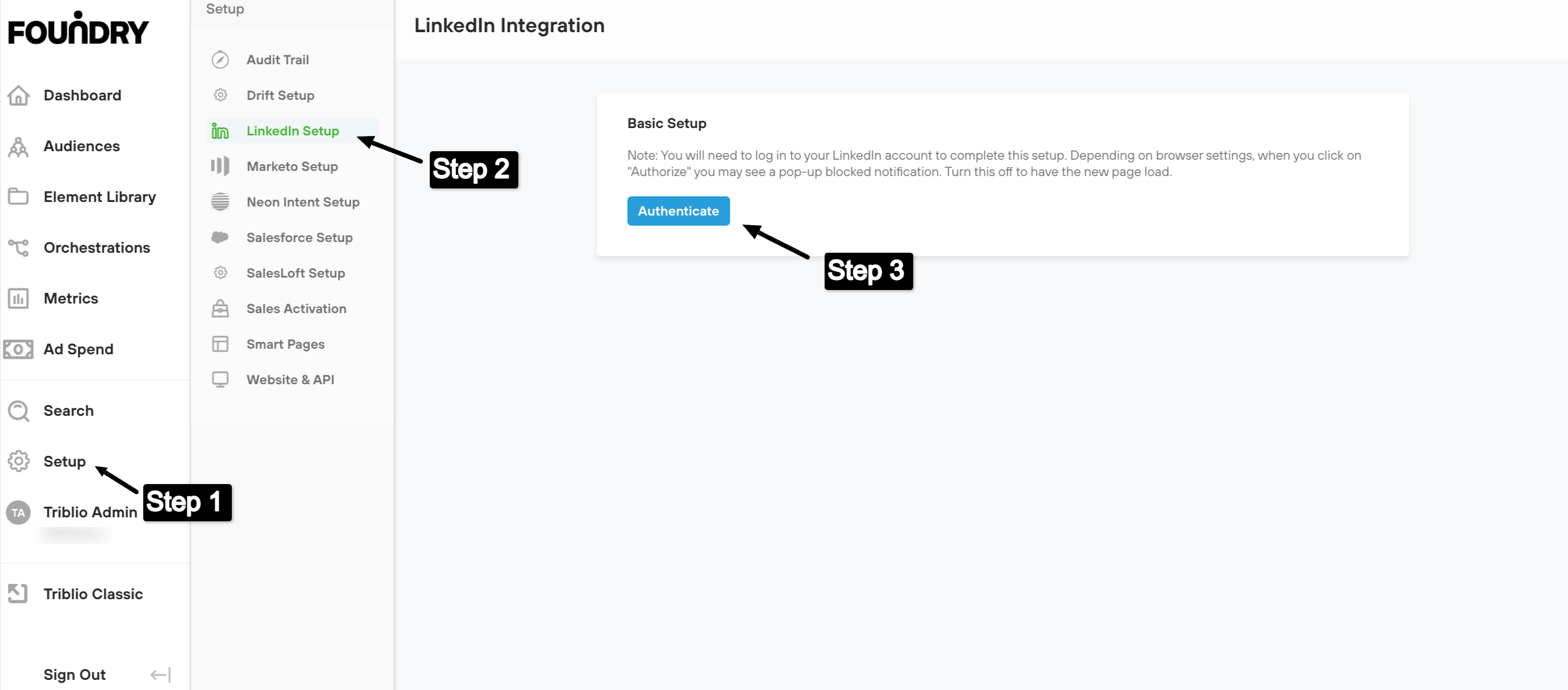
1. Navigate to the 'Set Up' section in the bottom left-hand side of the page
2. Click on 'LinkedIn Set Up' in the setup menu. Note: If the 'LinkedIn Set Up' option does not appear in this menu, please contact your CSM.
3. Click on 'Authorize'. This action will open a new window which will prompt you to enter your LinkedIn credentials.
4. Once you have authorized your account, return to the Foundry platform where you will see a note that your LinkedIn has been successfully authenticated.
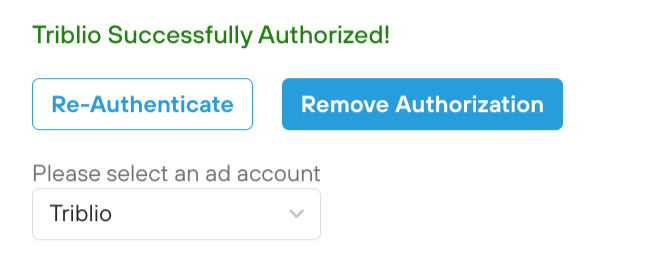
5. The last step is to ensure that you have selected the ad account you would like to connect to the platform.
Once you've authorized the connection between Foundry and LinkedIn, you're ready to start adding matched audience elements to your orchestrations!