
Triblio's ABM Analytics Module allows you to see account-level activity and intent signals embedded directly into your SugarCRM account records.
How it works:
Triblio’s integration pulls first and third-party intent data for known and unknown visitors into a smart panel embedded in SugarCRM's account records. For each account, it tracks indicators of purchase intent such as the number of unique visitors, surges in third-party research, account engagement over time and content consumption. Discover when your accounts are interested and what they’re interested in to shape cadences and improve response rates.
Before continuing to the next section, make sure to complete all of the steps in our How to Integrate Sugar CRM article.
How to Install & Authorize Users:
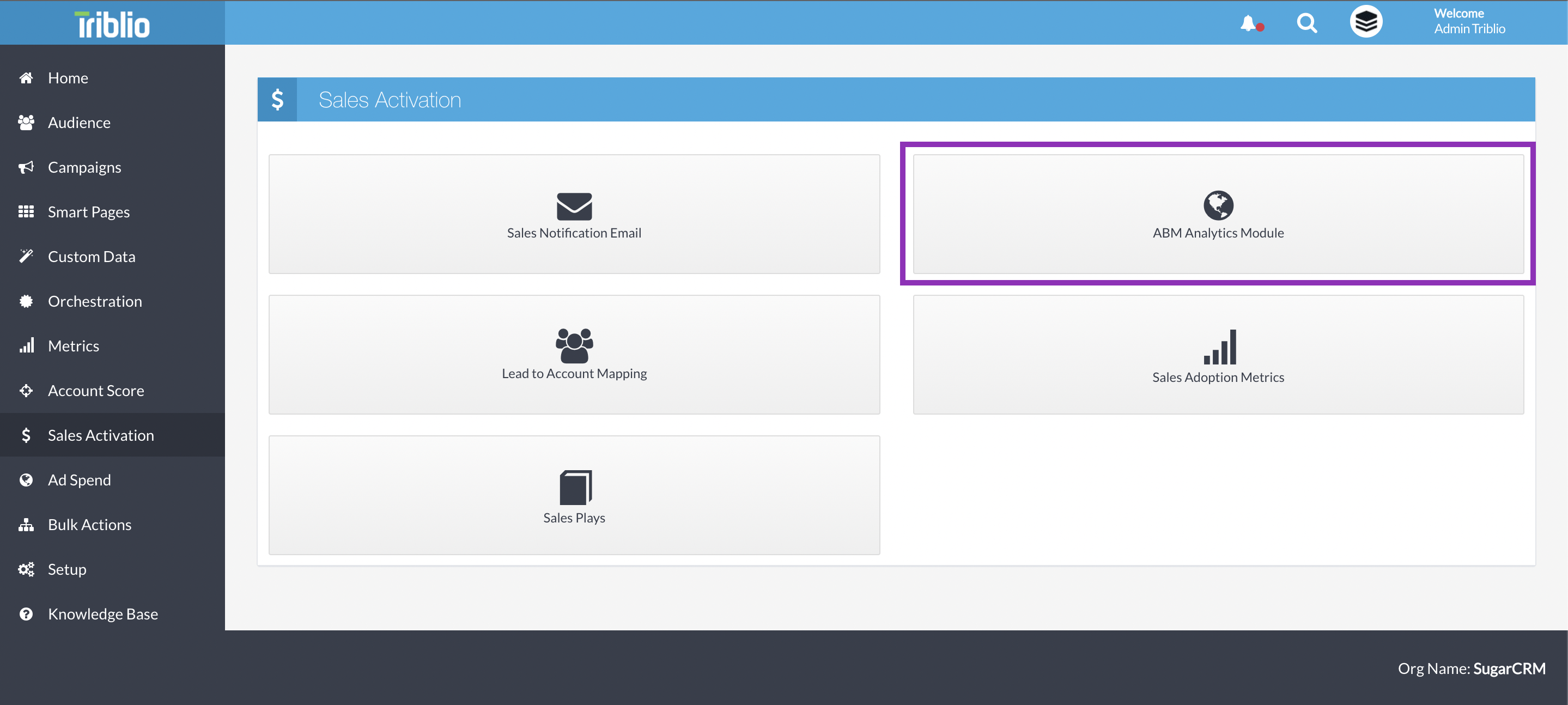
1. Login to your Triblio account and head to ' Sales Activation' in the navigation bar on the left
2. On the Sales Activation screen, select 'ABM Analytics Module'
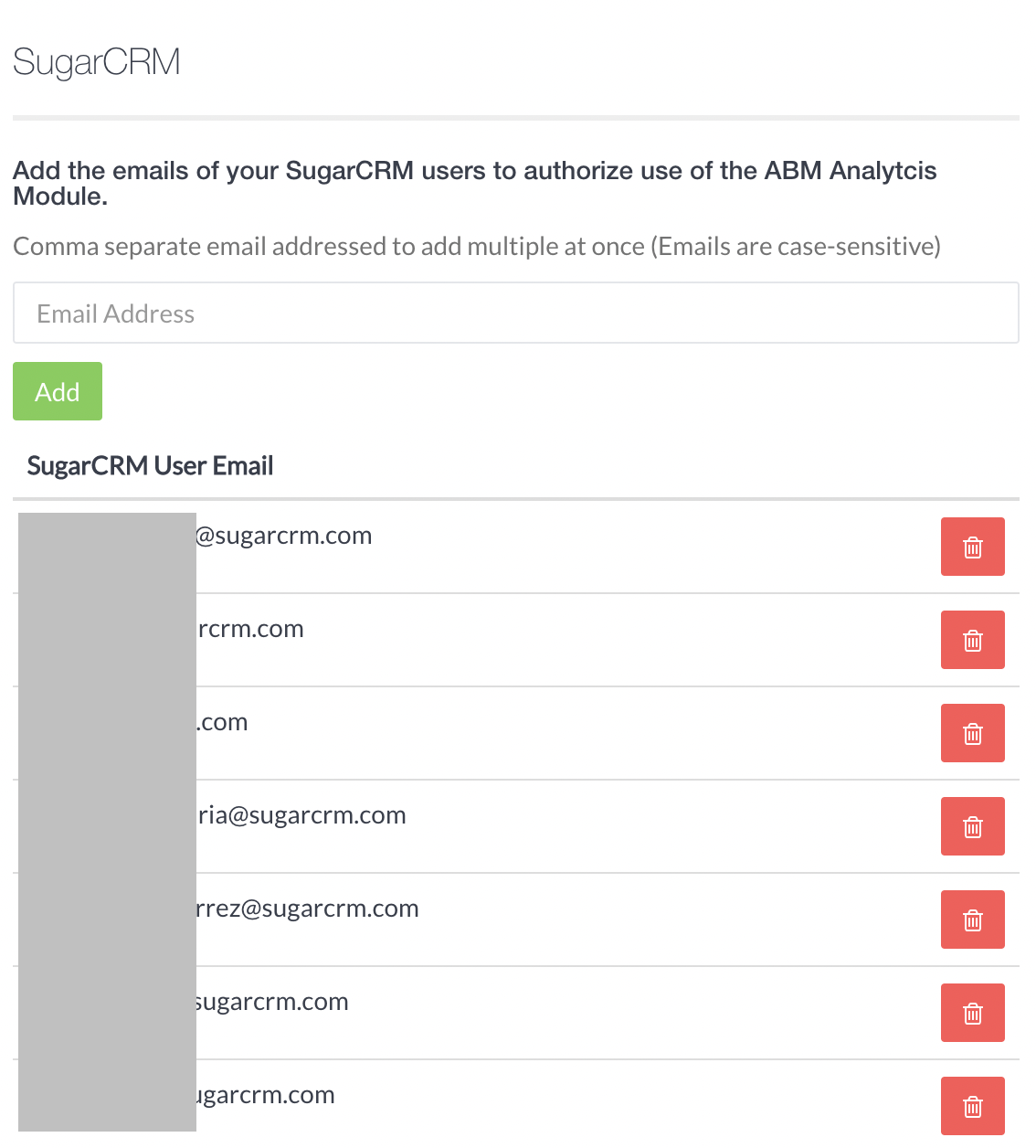
3. Next, enter the email addresses of the sales users to authorize in the column on the right. Use the email addresses associated with the user's SugarCRM account.
4. The first time a user views the module in SugarCRM, they will need to authorize their device. Go to an account record, scroll down until you see the ABM Analytics Module, and click 'Authorize'.
5. Once authorized, you will see Triblio data loading in the module.
ABM Analytics Module: The Data
The Triblio ABM Analytics Module summarizes the topics and content an account is consuming, both on and off your site. The module contains 4 tabs.
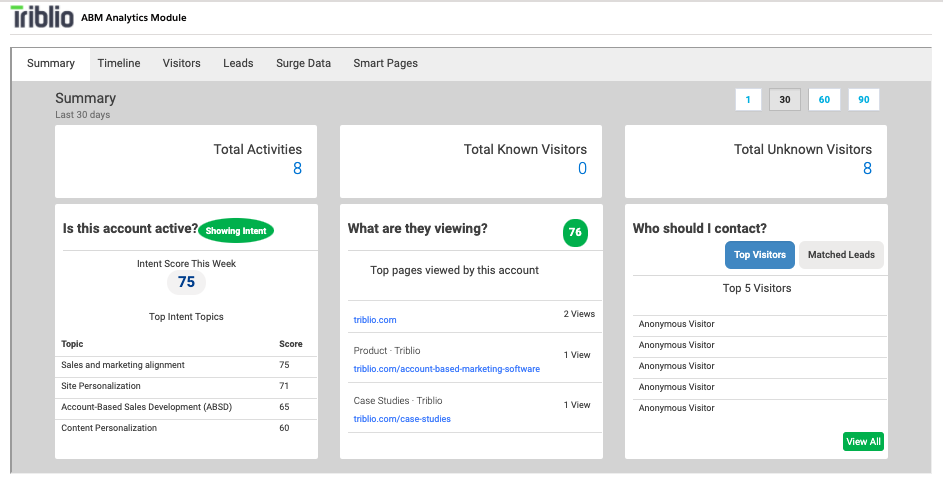
Summary
This view highlights top surging topics, most visited webpages, and known/unknown website visitors. We recommend using this data to identify topics relevant to the account and tailor follow-up based on those insights.
 Timeline
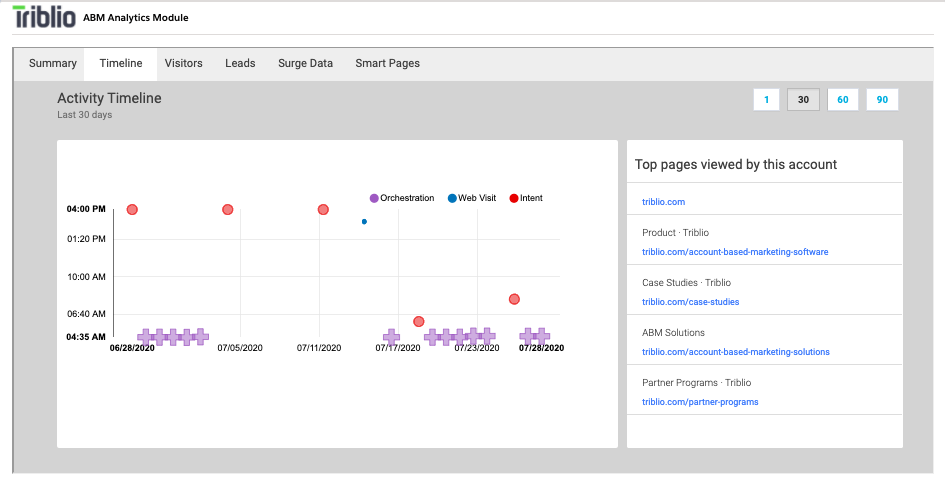
This tab is a mini version of our Account 360 timeline in the main Triblio platform. It's designed to visualize many activities that can impact an account's journey, all on the same timeline. These activities can include ad impressions, form submissions, intent surges, website visits, opportunity creation, and orchestration triggers.
We recommend using this view to get a sense of how an account's level of engagement is changing over time. Does the timeline show that the account is interacting with marketing campaigns and showing increasing level of intent? Then redouble your outbound efforts and focus in on the hot account. Does the timeline show that an account isn't responding at all to marketing and sales campaigns? Then de-prioritize it and focus your effort on more receptive accounts.
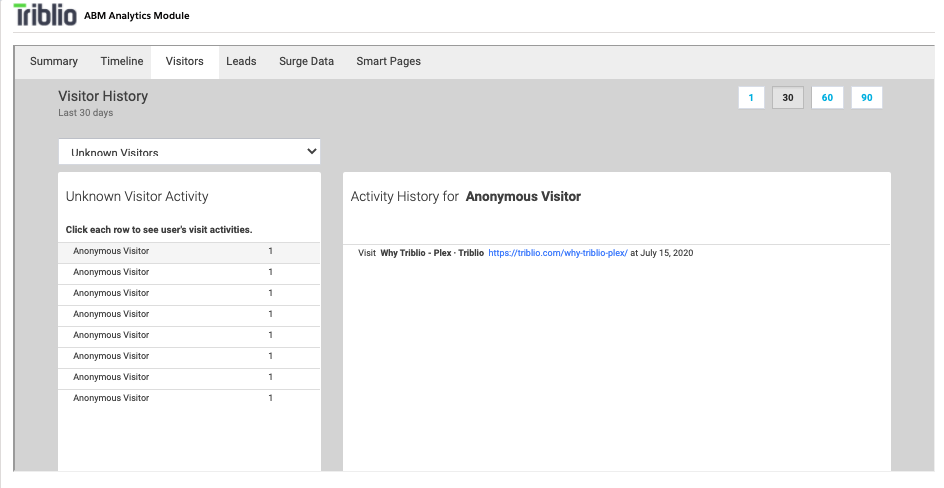
Visitors
This view allows you drill down into specific website visitor activity logs. This can help surface individual visitors from an account who have a high level of engagement.
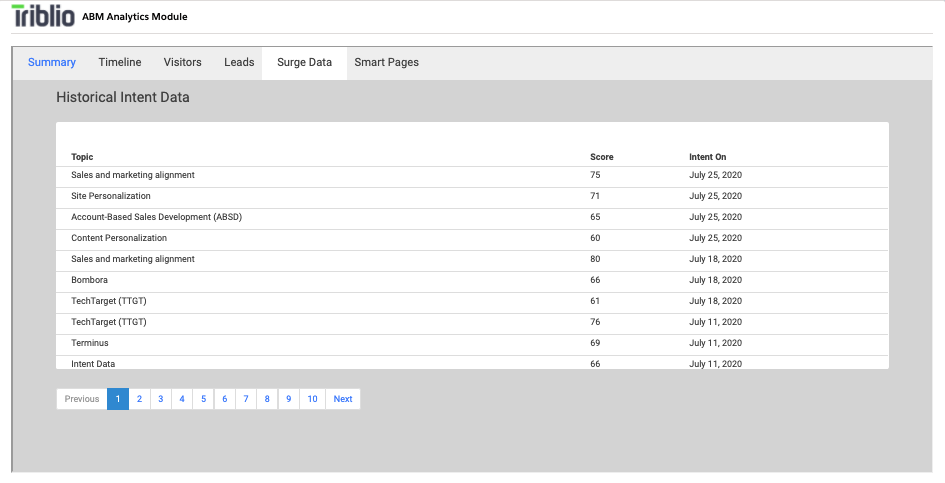
Surge Data
This tab lists all topic-level intent Surges from the account, starting with the most recent. This gives you access to the full Surge history of the account.
How the Data Connection Works
The Triblio Analytics Module rolls data up based on the domain of the account. Domain mappings are determined between Triblio and SugarCRM and established in Triblio's Setup SugarCRM section. Mapping can be made via more than one field in SugarCRM. Activities associated with the account will be rolled up based on the mappings made here. The default mapping is made via the 'Website' field in SugarCRM. If mappings need to be updated, the user can update the Account Record in SugarCRM with the modified domain and the data will be remapped daily.